Tool

linuxify-color

Your Mac’s terminal, but it feels like Ubuntu — the real GNU userland ahead of BSD on PATH, and color everywhere it should be.

GNU Userland

Stop translating the commands you already know

macOS ships a BSD userland, so the flags in every runbook and answer you copy quietly do not apply: sed -i wants an argument it did not get, find has never heard of -printf, and date -d is not a thing. linuxify-color installs the GNU versions and puts them first on PATH, with no g prefixes and no aliases to remember.

Bash zsh Homebrew GNU coreutils macOS
  • 45+ GNU packages — coreutils, findutils, sed, awk, grep, tar, make — first on PATH and MANPATH.
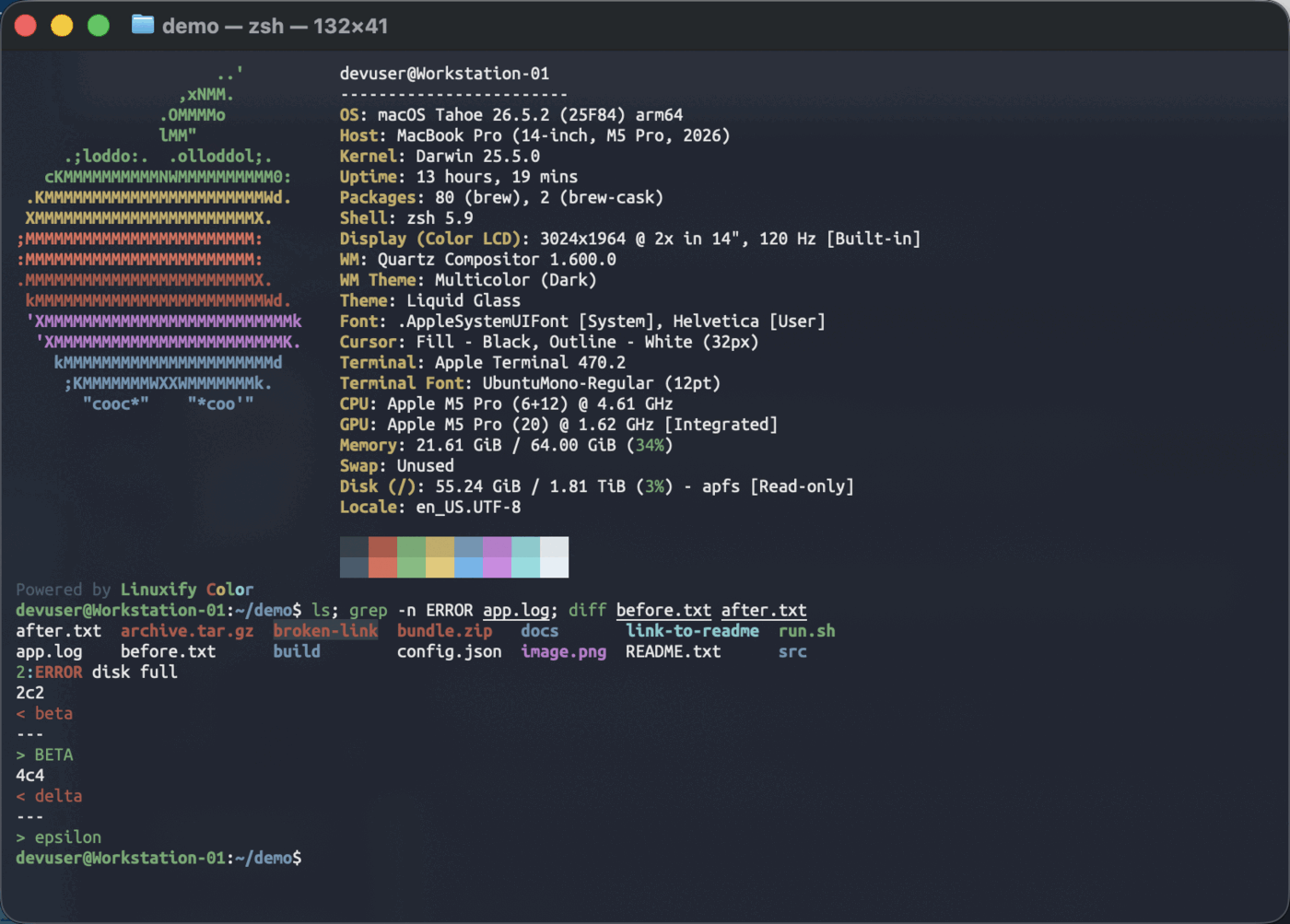
  • Color from dircolors for ls, plus grep, diff, and GNU man pages with colored headings.
  • A less that reads compressed files, and the tools every distro has and macOS does not: htop, tree, watch, mtr, ip.
  • An Ubuntu-style prompt, suggestions from history, and syntax highlighting that catches a typo before you press enter.
The macOS Terminal after linuxify-color: a fastfetch banner, color-coded ls output, a highlighted grep match, and a red and green diff

Install

One script, and one line in your shell config

Everything lands in ~/.config/linuxify/, your ~/.zshrc gains a single source line, and your original is kept beside it. Your login shell is left alone.

git clone https://github.com/mattanderson-io/linuxify-color.git
cd linuxify-color/
./linuxify install
Login Banner

A banner sized to taste

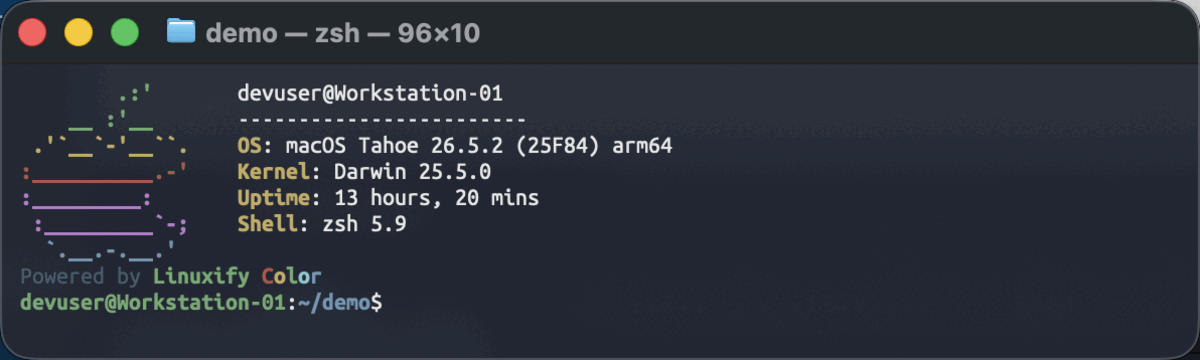
New shells open with a fastfetch banner and a small Powered by Linuxify Color tag under it. Twenty lines is a lot to read every time a terminal opens, so --small installs a seven-line version instead.

./linuxify install --small

Edit the config it writes and it becomes yours: once it differs from the shipped copy, neither install nor uninstall will take it away again. Set LINUXIFY_NO_FETCH=1 and there is no banner at all.

The small seven-line fetch banner, with a Powered by Linuxify Color tag beneath it

Why it exists

Built to be safe to try

Anything that rearranges your PATH has to be reversible, or nobody sensible runs it on a machine they depend on.

It only removes what it installed

Every formula the install actually had to add is recorded, and uninstall works from that list. A git, vim, or python you already had stays exactly where it was, and anything another package still depends on is kept and reported rather than silently skipped.

Everything in one directory

No dotfiles scattered across your home directory. Two files under ~/.config/linuxify/, one line in ~/.zshrc, and nothing exported globally that would make unrelated builds link against Homebrew’s keg-only libraries.

Open source and tested

A fork of pkill37/linuxify that adds the color, the prompt, the compressed-file handling, and an installer that wires it all up for you. ShellCheck and a 60-test bats suite run on every push.